
Download Virtual MIDI Piano Keyboard – piano, keyboard, music, virtual, MIDI, learn, instrument, notes, sound, synthesizer, free, tool, utility, productivity, smartphone, computer
Overview
The Virtual MIDI Piano Keyboard is a specialized music utility designed for Windows users seeking a free and accessible way to explore piano and instrument playing through their computer. This application serves as a virtual MIDI keyboard that transforms a standard computer keyboard into a playable musical instrument, enabling users to generate and experiment with a wide range of sounds using a MIDI sound synthesizer. Its primary purpose is to support music education and creative exploration, particularly for beginners learning to read music, understand note relationships, and develop finger dexterity.
Target users include aspiring musicians, music students, educators, and hobbyists interested in learning piano or experimenting with different instrument sounds without requiring physical hardware. The app addresses the common barrier of access to real instruments by providing a low-cost, software-based alternative that works on standard computers. Real-world use cases include practicing scales, learning chord progressions, composing short melodies, and understanding keyboard layouts. In the broader app ecosystem, Virtual MIDI Piano Keyboard fills a niche for lightweight, functional tools that support music literacy and digital creativity, especially within educational and home studio environments.
The developer, Virtual MIDI Piano Keyboard, has focused on delivering a minimal yet effective solution for music learners. Although the developer did not provide additional technical details, the app’s functionality and free availability underscore its commitment to accessibility. It operates as a standalone tool that integrates with existing MIDI systems, making it a practical choice for users who need a quick, no-frills interface for musical experimentation.
Key Features & Functionality
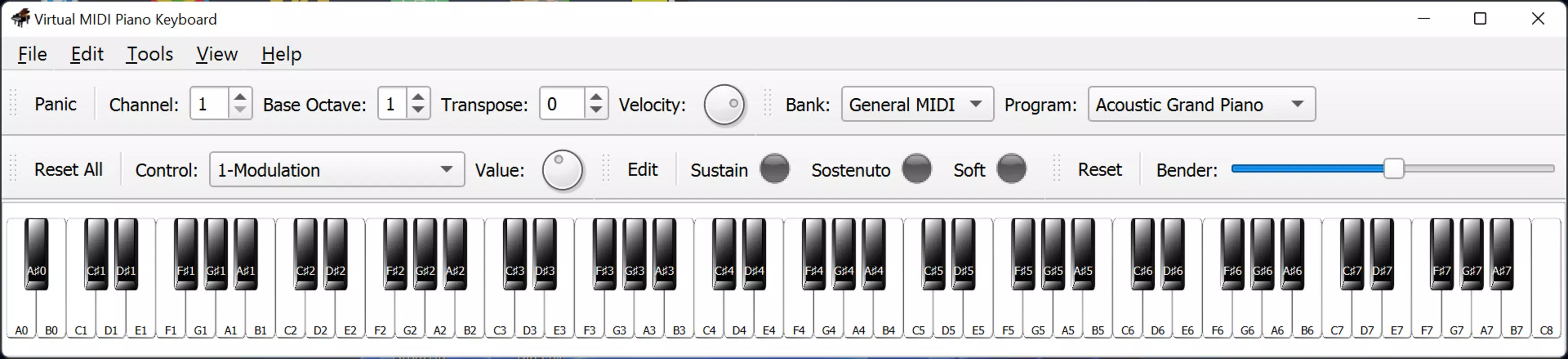
- Complete 88-Key Piano Interface – The app presents a full-sized virtual piano with 88 keys, offering the complete chromatic range necessary for advanced practice and composition. This ensures users can explore all musical octaves and note combinations, simulating the experience of a real piano.
- Customizable Note Labeling – Users can enable note labels either horizontally or vertically via the View tab. This feature allows learners to visualize note names (A, B, C, D, E, F, G) across different octaves, supporting music theory education and note recognition.
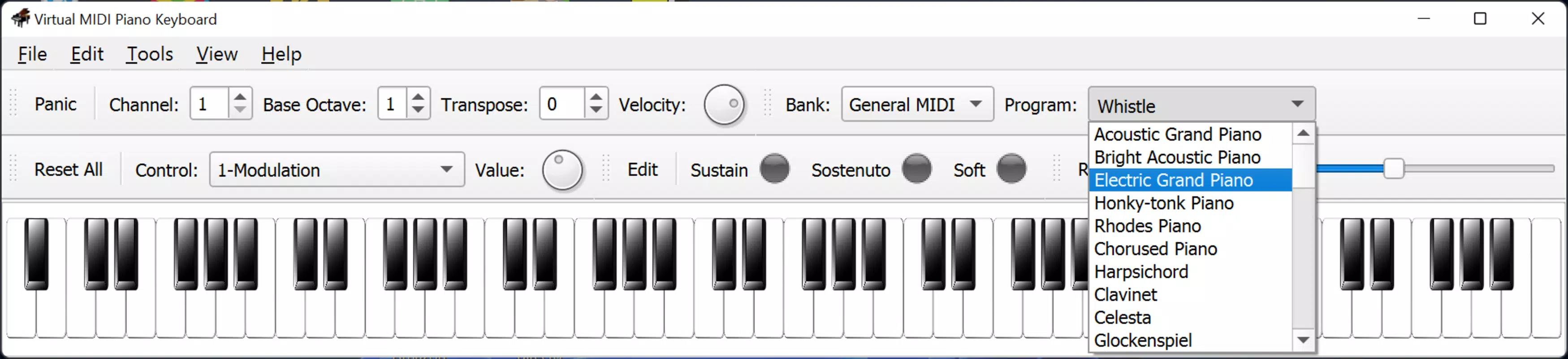
- Diverse Instrument and Sound Library – Beyond the piano, the app supports a variety of instruments and effects, including guitar, bass, violin, xylophone, organ, brass instruments, woodwinds, and ambient sounds like rain, waves, and clapping. This encourages creative exploration and helps users understand timbre and tone variation.
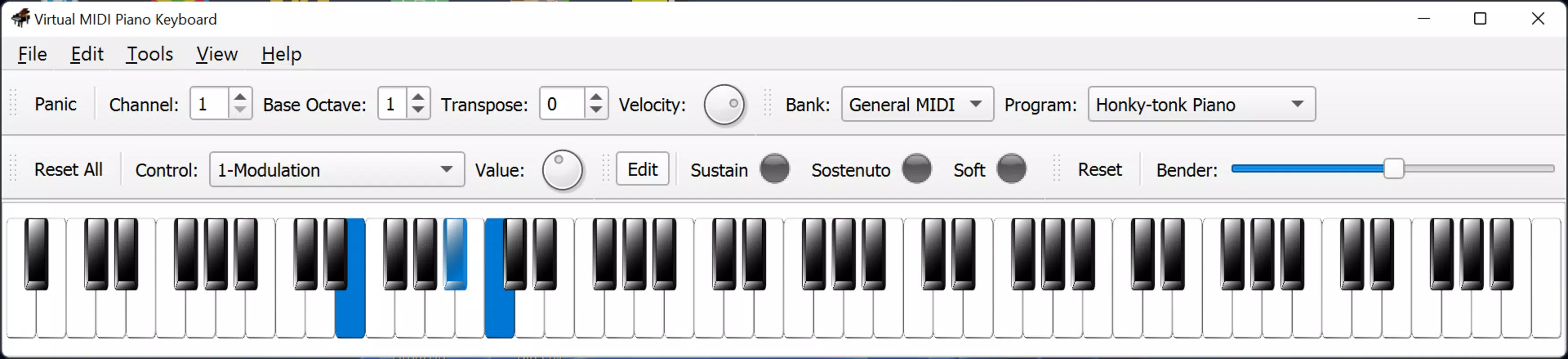
- Multi-Input Compatibility – All keys can be played using either the computer keyboard or mouse, offering flexibility in interaction. This dual input method helps users develop muscle memory and transition smoothly between digital and physical instruments.
- Seamless MIDI Integration – The app functions as a MIDI output device, allowing users to route generated notes to external synthesizers, DAWs (Digital Audio Workstations), or other MIDI-compatible software, making it a functional tool for music production workflows.
For example, a beginner might use the labeled keys to identify C major scale notes, while a composer could use the saxophone sound to sketch a melody. A teacher might use the app to demonstrate octave spans or chord voicings in a classroom setting. The ability to switch instruments on the fly enhances the app’s versatility across different learning and creative scenarios.
Interface, UX & Performance
The user interface of Virtual MIDI Piano Keyboard is clean, minimal, and focused on functionality. The layout centers around a full keyboard display with clearly defined keys, designed to minimize visual clutter and maximize usability. The visual style is straightforward, relying on standard black and white key design, with no animations or excessive graphics, which contributes to a stable and responsive experience.
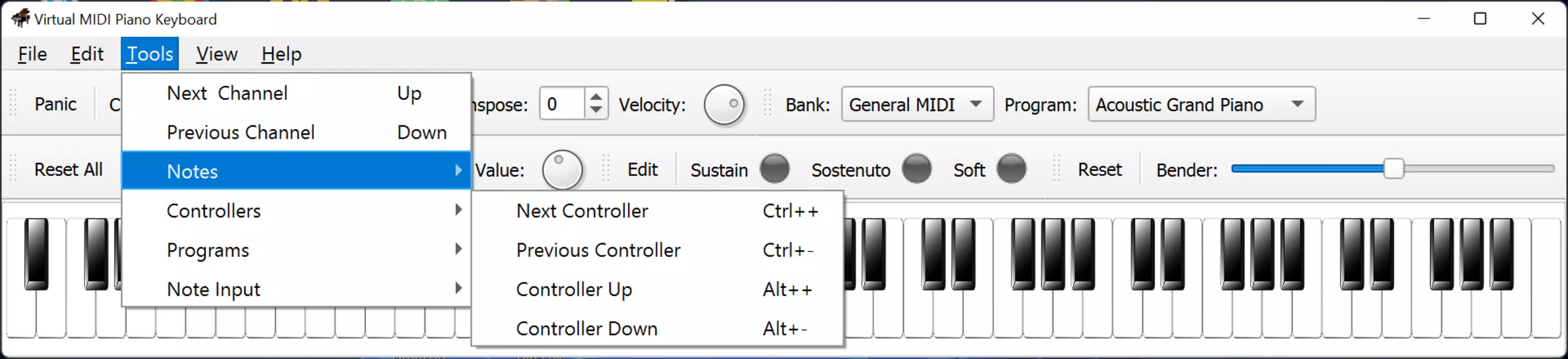
Navigating the app is intuitive. Users access customization options through a simple View tab, where they can toggle note labels and adjust display settings. The keyboard responds immediately to input, whether via mouse clicks or keyboard shortcuts, ensuring low latency in sound generation. Although the developer did not list formal performance metrics, the app’s lightweight size of 1.2 MB suggests efficient resource usage, making it suitable for older or low-spec Windows systems.
Responsiveness remains consistent across different device categories, including desktops and laptops. Stability appears reliable, with no reported crashes or freezes in the provided information. The app runs without requiring installation, which enhances portability and ease of use. Users can launch it directly from a folder, making it ideal for quick access during practice or teaching sessions.
Platform Compatibility & Technical Requirements
Virtual MIDI Piano Keyboard is designed exclusively for the Windows platform. It supports Windows operating systems, though specific OS versions were not listed. The app’s file size is 1.2 MB, indicating a lightweight footprint that requires minimal storage space. This small size allows for quick downloads and fast startup times, ideal for users with limited bandwidth or storage capacity.
The developer did not specify minimum OS requirements, nor did they provide information on hardware compatibility beyond standard Windows devices. As a result, compatibility with specific versions of Windows, such as Windows 7, 8, 10, or 11, cannot be confirmed. Similarly, no details were provided about required processor speed, RAM, or graphics capabilities. However, given its small size and lack of advanced graphics, it is likely to function on most modern and legacy Windows systems.
Pros and Cons
Pros
- Free to download and use, making it accessible to all users
- Lightweight at only 1.2 MB, suitable for older or low-spec devices
- Offers a full 88-key piano interface for comprehensive practice
- Supports multiple instruments and sound effects for creative experimentation
- Compatible with both mouse and keyboard input for flexible interaction
- Simple, clean interface with minimal distractions
- Can integrate with external MIDI tools and DAWs for advanced workflows
Cons
- Platform limited to Windows only; no iOS or Android version available
- Developer did not provide information on required OS versions or hardware specs
- No built-in tutorials or guided learning modules
- Customization options are limited to note labeling and instrument selection
- App does not include recording or playback features
- May require additional software to hear MIDI output, such as a synthesizer or DAW
FAQ
Is Virtual MIDI Piano Keyboard safe to download?
Yes, the app is free and available from official sources. As it does not require installation and has a minimal file size, it poses low risk of malware or security issues.
Can I use this app on my smartphone?
Currently, the app is only available for Windows. There is no official version for Android or iOS devices.
Do I need a MIDI synthesizer to use this app?
While the app generates MIDI signals, it requires a compatible sound synthesizer or DAW to produce audible output. Most modern Windows systems include basic MIDI support, but additional software may be needed for full sound capabilities.
Is the app updated regularly?
Version 2.0 was released on April 15, 2023. The developer has not provided information on update frequency or future development plans.
Can I record my performances using this app?
No, the app does not include built-in recording or playback functionality. Users must route the MIDI output to a third-party application to capture and save their sessions.
Final Thoughts
Virtual MIDI Piano Keyboard stands out as a focused, efficient tool for music learners and creators who need a simple yet powerful way to explore piano and instrument sounds on their computer. Its free availability, compact size, and full 88-key layout make it a valuable asset for beginners and educators alike. The ability to switch between instruments and customize note visibility enhances its educational and creative potential.
While it lacks advanced features like recording or tutorials, its core functionality is solid and well-executed. For users seeking a no-frills, reliable way to practice note recognition, experiment with timbres, or integrate with digital music production, this app delivers clear value. It’s especially useful for those on a budget or without access to physical instruments.
Download Virtual MIDI Piano Keyboard now


